Recently I got a new MacBook Pro with the M5 Pro chip and 64GB of RAM. With all the hype around AI lately, I decided it’s time to see what the fuss is all about. After some research, I achieved the setup below. This blog post is just a way to document my current setup.
Table of contents
Open Table of contents
oMLX and Qwen3.6-35B Setup
After reading about the latest developments in local LLMs on X, there was a clear favourite for MacBook local inference: Apple’s own MLX-LM library. I tried it initially but found it lacking some server functionality (namely caching).
Some research later pointed me to oMLX, a more sophisticated server implementation on top of MLX-LM and MLX-VLM. Installation was straightforward—download the .dmg, install it, and once you start the server, a web admin panel is available at http://127.0.0.1:8000/admin/dashboard.
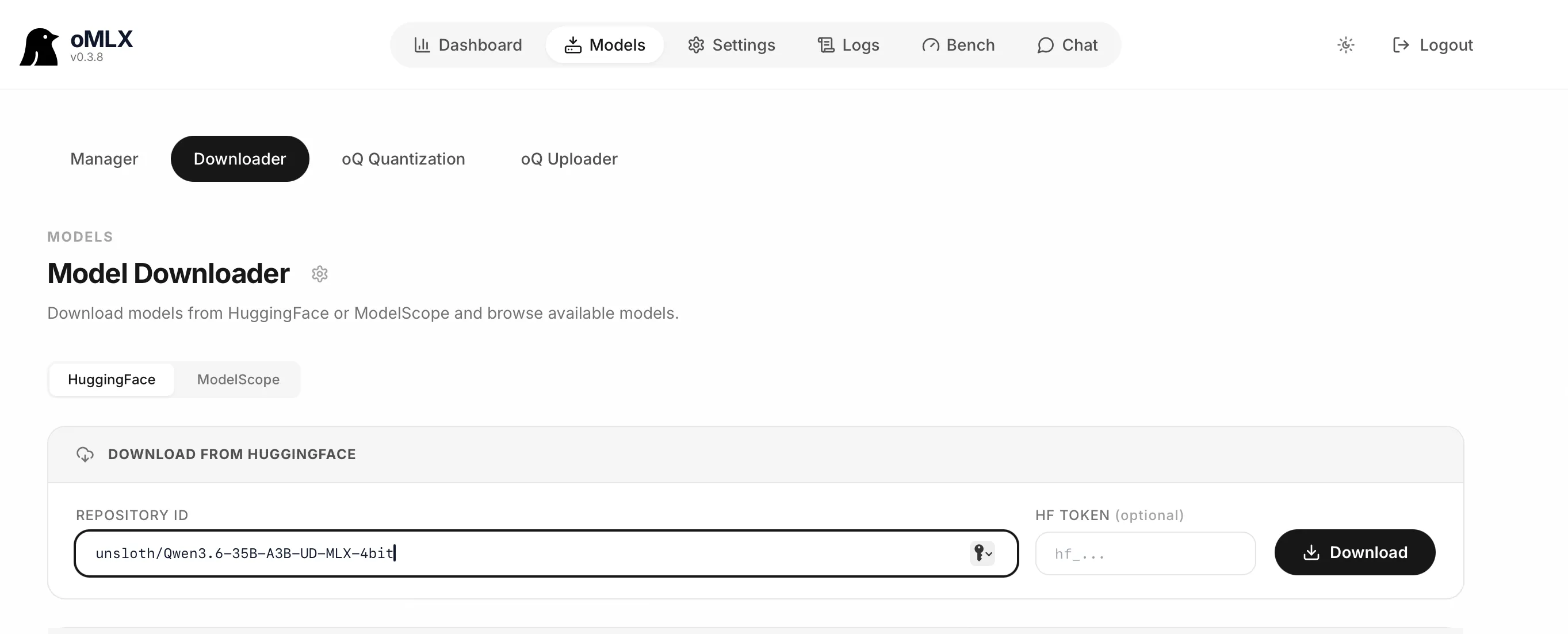
Downloading the model was as simple as going to the Models Downloader page, pasting the link for the model I wanted to use Qwen3.6-35B-A3B-UD-MLX-4bit and hitting the Download button.
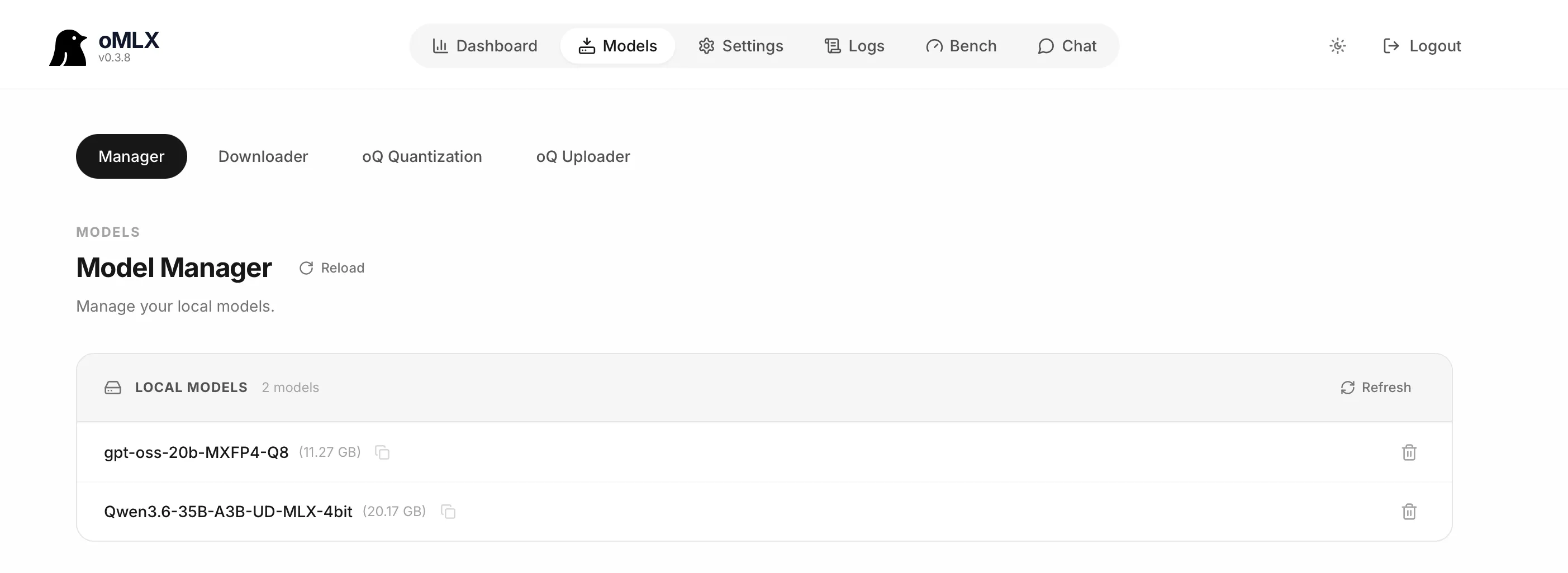
After a while the model was downloaded and I can see it in the Model Manager tab:
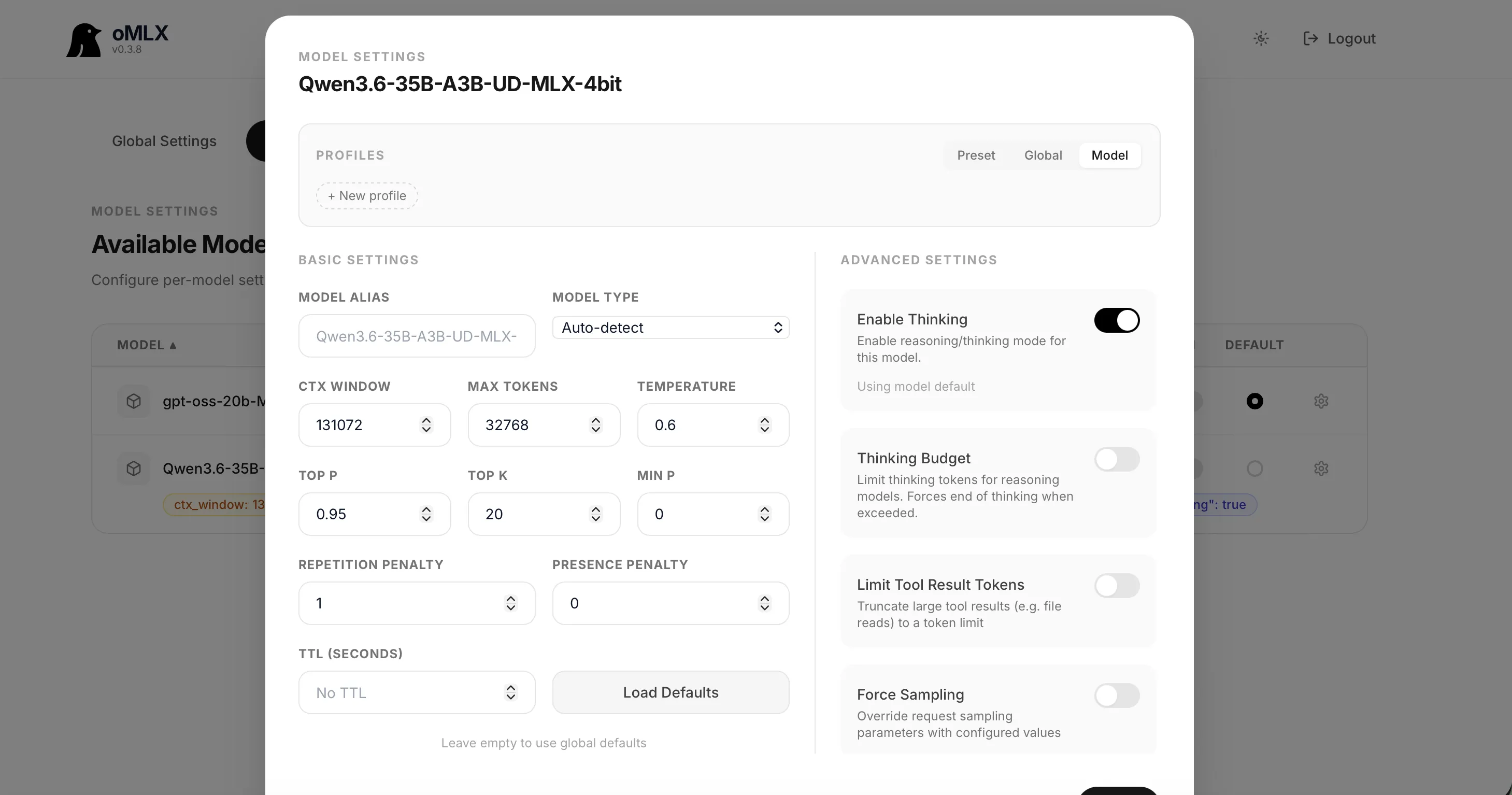
It was time to configure the actual model settings for Qwen3.6-35B. For that, I clicked on Settings, selected Model Settings from the dropdown, and clicked the gear icon next to the model.
I also added the "preserve_thinking": true setting as a Chat Template Kwargs in the Models settings menu on the left.
These settings are for non-thinking coding agents, which is what I planned to use the LLM for—namely local Claude Code and Copilot.
We can test that the model is working correctly using the built-in oMLX chat. Just click on Chat in the top menu and a ChatGPT-style chat will open at Admin Chat.
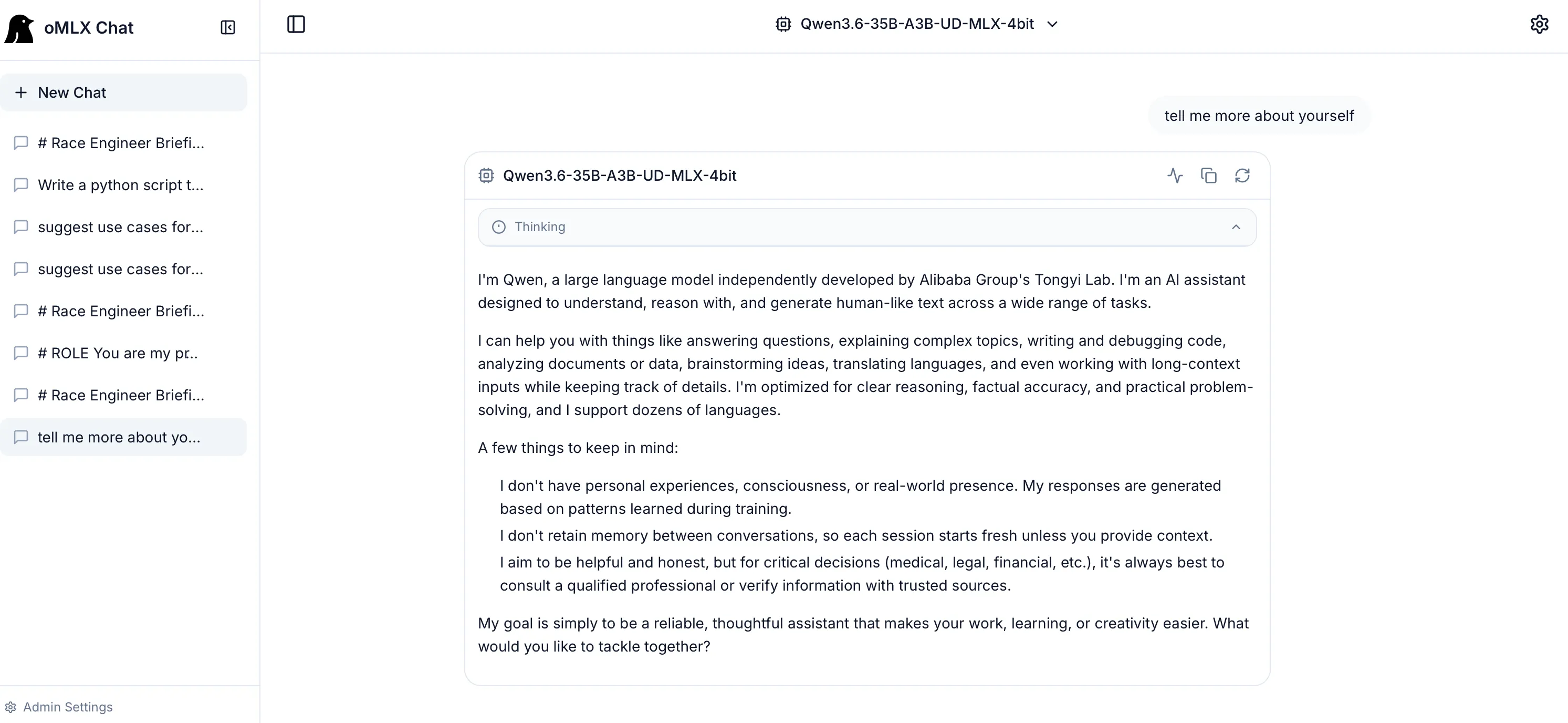
That’s it we now have a working local LLM with Qwen3.6-35B.
VSCode Copilot Setup
The first obvious use case for any developer with a local LLM is Copilot, so this was the first thing I set up. Initially, I installed VSCode Insiders (the green icon) because VSCode Insiders supports setting up Copilot with local LLMs.
I logged into GitHub to enable Copilot, and then from the model selector in the Chat window, there is a gear icon next to the other models.
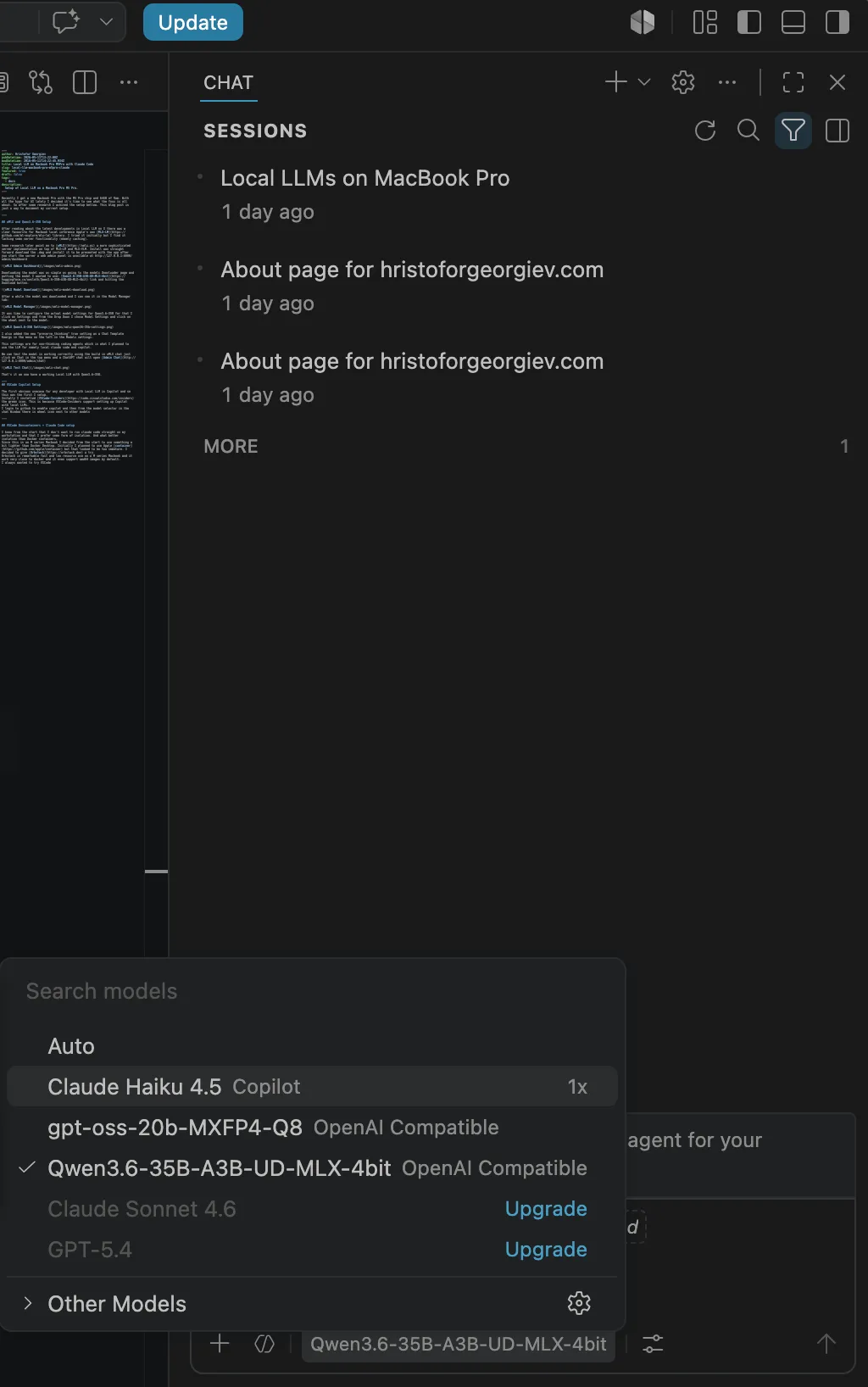
Then I clicked on the blue “Add Models” button, chose OpenAI Compatible, gave it the name “MLX”, entered the URL for oMLX (http://localhost:8000/v1) and my API key, and a new chatLanguageModels.json file opened. The file path is:
~/Library/Application Support/Code - Insiders/User/chatLanguageModels.jsonHere is how this file looks for me:
[
	{
		"name": "MLX",
		"vendor": "customoai",
		"apiKey": "${input:chat.lm.secret.-1a4e0bf1}",
		"models": [
			{
				"id": "Qwen3.6-35B-A3B-UD-MLX-4bit",
				"name": "Qwen3.6-35B-A3B-UD-MLX-4bit",
				"url": "http://localhost:8000/v1",
				"toolCalling": true,
				"vision": true,
				"maxInputTokens": 128000,
				"maxOutputTokens": 16000
			},
			{
				"id": "gpt-oss-20b-MXFP4-Q8",
				"name": "gpt-oss-20b-MXFP4-Q8",
				"url": "http://localhost:8000/v1",
				"toolCalling": true,
				"vision": true,
				"maxInputTokens": 128000,
				"maxOutputTokens": 16000
			}
		]
	}
]
Once the file was saved, Qwen3.6-35B-A3B-UD-MLX-4bit could be selected from the models in the local chat.
I tested it with a prompt, and it works—I now have a working Local LLM + VSCode + Copilot setup using a local model.
VSCode DevContainers + Claude Code Setup
I knew from the start that I didn’t want to run Claude Code directly on my workstation; I prefer some form of isolation. And what better isolation than Docker containers?
Since this is an M-series MacBook, I decided from the start to use something lighter than Docker Desktop. I initially planned to use Apple container, but it looked too immature. I decided to give Orbstack a try instead.
Orbstack is remarkably fast with low resource usage on M-series MacBooks, works very similarly to Docker, and even supports amd64 images by default.
I’ve always wanted to try VSCode DevContainers, so when I found Trail of Bits’ claude-code-devcontainer repo for Claude Code setup, I decided to give it a try.
First, I needed to install NVM since the VSCode DevContainers CLI is an npm package:
curl -o- https://raw.githubusercontent.com/nvm-sh/nvm/v0.40.4/install.sh | bashInstall devcontainers/cli
npm install -g @devcontainers/cliInstall the Trail of Bits devcontainer:
git clone https://github.com/trailofbits/claude-code-devcontainer ~/.claude-devcontainer
cd .claude-devcontainer/
I edited the provided devcontainer.json to add the local Claude variables. Since Orbstack uses its own network, you can either use an IP address or the MacBook hostname in the URLs for the oMLX endpoint (oMLX hosts the Anthropic-compatible Messages API). Make sure oMLX is set up to listen on all IPs, and set ANTHROPIC_AUTH_TOKEN to the correct token you use.
{
  "$schema": "https://raw.githubusercontent.com/devcontainers/spec/main/schemas/devContainer.schema.json",
  "name": "Claude Code Sandbox",
  "build": {
    "dockerfile": "Dockerfile",
    "args": {
      "TZ": "${localEnv:TZ:UTC}",
      "GIT_DELTA_VERSION": "0.18.2",
      "ZSH_IN_DOCKER_VERSION": "1.2.1"
    }
  },
  "features": {
    "ghcr.io/devcontainers/features/github-cli:1": {}
  },
  "runArgs": [
    "--cap-add=NET_ADMIN",
    "--cap-add=NET_RAW"
  ],
  "init": true,
  "updateRemoteUserUID": true,
  "customizations": {
    "vscode": {
      "extensions": [
        "anthropic.claude-code"
      ],
      "settings": {
        "terminal.integrated.defaultProfile.linux": "zsh",
        "terminal.integrated.profiles.linux": {
          "bash": {
            "path": "bash",
            "icon": "terminal-bash"
          },
          "zsh": {
            "path": "zsh"
          }
        },
        "files.trimTrailingWhitespace": true,
        "files.insertFinalNewline": true,
        "files.trimFinalNewlines": true
      }
    }
  },
  "remoteUser": "vscode",
  "mounts": [
    "source=devc-${localWorkspaceFolderBasename}-bashhistory-${devcontainerId},target=/commandhistory,type=volume",
    "source=devc-${localWorkspaceFolderBasename}-config-${devcontainerId},target=/home/vscode/.claude,type=volume",
    "source=devc-${localWorkspaceFolderBasename}-gh-${devcontainerId},target=/home/vscode/.config/gh,type=volume",
    "source=${localEnv:HOME}/.gitconfig,target=/home/vscode/.gitconfig,type=bind,readonly",
    "source=${localWorkspaceFolder}/.devcontainer,target=/workspace/.devcontainer,type=bind,readonly",
    "source=${localWorkspaceFolder}/.git/config,target=/workspace/.git/config,type=bind,readonly",
    "source=${localWorkspaceFolder}/.git/hooks,target=/workspace/.git/hooks,type=bind,readonly"
  ],
  "containerEnv": {
    "NODE_OPTIONS": "--max-old-space-size=4096",
    "CLAUDE_CONFIG_DIR": "/home/vscode/.claude",
    "POWERLEVEL9K_DISABLE_GITSTATUS": "true",
    "GIT_CONFIG_GLOBAL": "/home/vscode/.gitconfig.local",
    "UV_LINK_MODE": "copy",
    "NPM_CONFIG_IGNORE_SCRIPTS": "true",
    "NPM_CONFIG_AUDIT": "true",
    "NPM_CONFIG_FUND": "false",
    "NPM_CONFIG_SAVE_EXACT": "true",
    "NPM_CONFIG_UPDATE_NOTIFIER": "false",
    "NPM_CONFIG_MINIMUM_RELEASE_AGE": "1440",
    "PYTHONDONTWRITEBYTECODE": "1",
    "PIP_DISABLE_PIP_VERSION_CHECK": "1",
    "ANTHROPIC_BASE_URL": "http://MacbookHostname:8000",
    "ANTHROPIC_AUTH_TOKEN": "1234567",
    "ANTHROPIC_DEFAULT_OPUS_MODEL": "Qwen3.6-35B-A3B-UD-MLX-4bit",
    "ANTHROPIC_DEFAULT_SONNET_MODEL": "Qwen3.6-35B-A3B-UD-MLX-4bit",
    "ANTHROPIC_DEFAULT_HAIKU_MODEL": "Qwen3.6-35B-A3B-UD-MLX-4bit",
    "API_TIMEOUT_MS": "3000000",
    "CLAUDE_CODE_DISABLE_NONESSENTIAL_TRAFFIC": "1"
  },
  "remoteEnv": {
    "CLAUDE_CODE_OAUTH_TOKEN": "${localEnv:CLAUDE_CODE_OAUTH_TOKEN:}",
    "ANTHROPIC_API_KEY": "${localEnv:ANTHROPIC_API_KEY:}",
    "ANTHROPIC_BASE_URL": "http://MacbookHostname:8000",
    "ANTHROPIC_AUTH_TOKEN": "1234567",
    "ANTHROPIC_DEFAULT_OPUS_MODEL": "Qwen3.6-35B-A3B-UD-MLX-4bit",
    "ANTHROPIC_DEFAULT_SONNET_MODEL": "Qwen3.6-35B-A3B-UD-MLX-4bit",
    "ANTHROPIC_DEFAULT_HAIKU_MODEL": "Qwen3.6-35B-A3B-UD-MLX-4bit",
    "API_TIMEOUT_MS": "3000000",
    "CLAUDE_CODE_DISABLE_NONESSENTIAL_TRAFFIC": "1"
  },
  "initializeCommand": "test -f \"$HOME/.gitconfig\" || touch \"$HOME/.gitconfig\"",
  "workspaceMount": "source=${localWorkspaceFolder},target=/workspace,type=bind,consistency=delegated",
  "workspaceFolder": "/workspace",
  "postCreateCommand": "uv run --no-project /opt/post_install.py"
}
After this edit, it was time to install the devcontainer:
~/.claude-devcontainer/install.sh self-installThen it was time to test it in a folder with a repo in it:
devc .
devc shell
In the new shell, we can just start Claude. Make sure the model it’s using is Qwen3.6-35B-A3B-UD-MLX-4bit and then start typing your prompt.
When you’re done, all your files will be on the host in the folder and you can destroy the container:
devc down
devc sync
devc destroy
This is it I now have a sandboxed Claude Code running from a VSCode DevContainer, developing code with my oMLX-hosted Qwen3.6-35B-A3B-UD-MLX-4bit LLM model. All of this for free, as in free beer.